
WebP vs. JPG vs. PNG: What’s the Best Image Format for SEO?
As organic search continues to evolve, users increasingly expect a rich, visual experience. Search engine features, like Google Search Live and Lens, incorporate visuals directly into the search experience. If you want your content to keep up, you need to get serious about graphic design.
But there’s a delicate balance to strike when it comes to images for SEO. While high-quality visuals engage users, they can also be the primary culprit behind sluggish page speeds and poor Core Web Vitals. Unoptimized images can cause performance issues that frustrate users and signal to search engines that your site is suboptimal.
In this guide, we’ll break down everything you need to know to optimize your site for both speed and style. Here’s what we’ll cover:
- Image SEO FAQs
- A Comparison of Image Formats for SEO
- Nexus’s Approach to Using Images in SEO Content

FAQs About Image SEO
Want a quick rundown of image SEO? Here are the highlights:
- Why Are Images Important for SEO? They boost user engagement, add context, and take up valuable search real estate.
- What Types of Images Should SEO Content Include? There are two main types: featured (or blog hero) and supplementary images.
- What Best Practices Should Images Follow for SEO? Above all, compress image files and ensure they’re properly sized! Mobile responsiveness is also key for helping visitors navigate your website, regardless of the device they’re using. Enable lazy loading, use descriptive file names and alt text, and incorporate your branding.
Let’s break down the answers to these commonly asked questions in more detail below.
Why Are Images Important for SEO?
Images do more than just make a page look “pretty.” From an SEO perspective, they serve a few main purposes:
- Boost user engagement: Visuals like images and videos make content more engaging, keeping users on the page longer and reducing bounce rates.
- Provide context: Relevant images help readers retain information and signal your content’s value to Google.
- Take up search real estate: Optimized images can rank in Google Image Search, providing an additional stream of organic traffic to your site.
What Types of Images Should SEO Content Include?
Broadly speaking, there are two main image types used in SEO content:
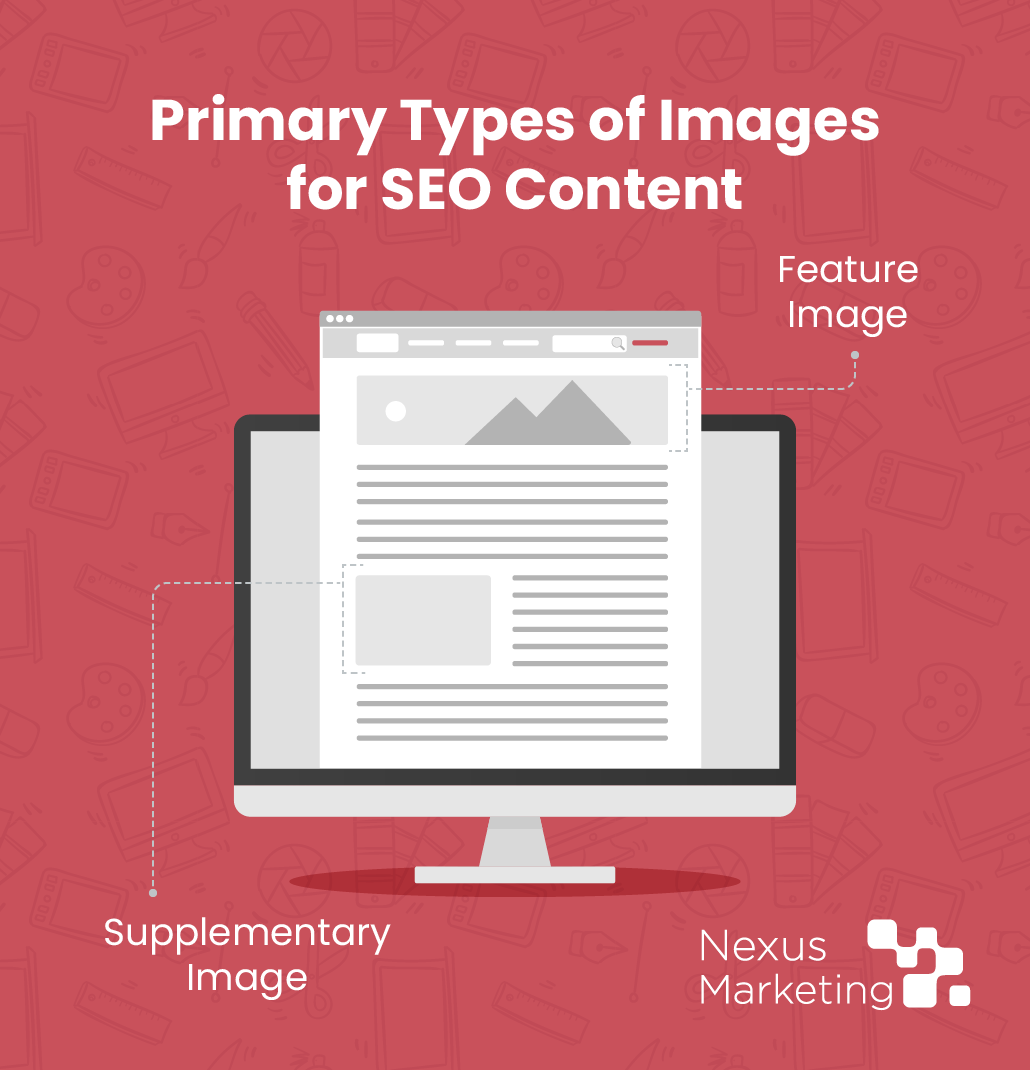
- Feature images: For blog content, this image is the “face” of each post. Feature images appear on your main blog roll and social media previews. A strong featured image should be eye-catching, branded, and high-resolution to entice clicks.
- Supplementary images: These are the visuals found within the body of your text, whether that’s in keyword-optimized blog content or scattered throughout your product and service pages. From custom charts to relevant stock photography, these images add visual appeal and break up long sections of written content, making the reading experience feel less like a chore and more like a resource.
What Best Practices Should Images Follow for SEO?
Hot take: Choosing the right image format isn’t actually the most important part of optimizing images on your website. Beyond file format, your images need to follow a specific set of technical standards to satisfy search engine crawlers:
- Compression: Large files kill page speed. Always use a tool to compress your images to strip away unnecessary data without sacrificing visual clarity.
- Proper sizing and responsiveness: Again, large files kill page speed. Consider where an image will be placed on your website before uploading it, and ensure the image size matches its display dimensions. Also, make sure images are mobile-responsive so the content adjusts to the page visitor’s device.
- Lazy loading: Your website should tell the browser to load images only when the user scrolls down to them, rather than loading them automatically. This practice speeds up initial page load times, which improves the user experience.
- Descriptive file names: Avoid generic titles like “image1.jpg.” Use keywords that describe the image, such as “nonprofit-marketing-strategy-diagram.webp.”
- Alt text: Screen readers and search bots use alt text to give users a brief description of the image. Make it highly descriptive and include your target keyword where it feels natural.
- Branding: Consistent use of colors, fonts, and logos on your custom graphics helps build brand authority and makes your content instantly recognizable across platforms.
Why Does Image Format Matter?
The best practices above are our recommended approach to using images in your SEO content. However, that’s not to say that image format doesn’t matter—it does!
First of all, some file formats are naturally larger than others, meaning they can impact page performance regardless of your efforts to compress them.
Also, some image formats make images look clearer than others because of how they compress files. For example, JPG files use lossy compression, which discards excess data from a file to reduce file size. If it throws out too much data, this file format can make your images look low-resolution. PNG files, in contrast, use lossless compression, which rewrites the file to shrink the image without losing any data. This way, your image looks crystal clear without slowing page load speed.
Just keep in mind that the ideal image format can vary depending on your browser, content management system (CMS), and other factors.
How Does AI Impact Image SEO?
AI is now integral to the search experience. As a result, many digital marketers lean on AI tools for content creation. But does this apply to image generation?
At Nexus Marketing, we view AI-generated images as a tool for expansion, not a shortcut. While AI can support the brainstorming process, high-stakes brand assets should always be conceptualized, designed, and vetted by real people before going live.
Remember: AI in SEO isn’t going anywhere, but quality and relevance to your audience are still the most important factors in content creation!
A Comparison of Image Formats for SEO
Here’s how the most popular image formats stack up:
1. AVIF
AVIF is the newest format on the block, derived from the AV1 video codec. It offers 20-30% smaller file size and better image quality than other image formats. However, some older browsers still struggle to render AVIF correctly.
- SEO impact: For content with heavy visual demands, AVIF is the ultimate way to maintain high-quality images without the penalty of a slow site.
- Verdict: If your CMS supports it, use AVIF for your most prominent hero images and featured graphics to squeeze out every bit of performance.
2. WebP
Developed by Google, WebP was designed to deliver smaller, faster images on the web. WebP images typically result in file sizes that are 25–35% smaller than their predecessors.
However, despite offering superior compression, WebP files are best used on a case-by-case basis. Not every CMS supports this format natively, and adding more plugins to a website just to handle images can sometimes be counterproductive. It can also be difficult to view WebP files unless they’re uploaded to your website, which can complicate the content creation process if you want to insert the file into a Google Doc draft or Microsoft Word document.
- SEO impact: By significantly reducing the “Total Byte Weight” of your page, WebP directly improves your Core Web Vitals, specifically the Largest Contentful Paint (LCP) metric.
- Verdict: WebP is a solid option for large, sitewide elements (headers/footers), but check CMS and browser compatibility before using it.
3. JPG/JPEG
JPEG has been the backbone of the internet for decades. It excels at displaying complex photographs with thousands of colors and subtle gradients.
However, this format uses lossy compression. You may be able to scale the quality down (usually to 70–80%) to save space without a human eye noticing the difference, but keep in mind that this process loses some image data. Over-compression leads to “artifacts”—those blurry blocks you see in low-quality images.
- SEO impact: While not as efficient as WebP, it is universally compatible. If you have a legacy system that doesn’t support modern formats, a well-compressed JPEG is still a viable option.
- Verdict: This image format is highly compatible with CMSs and browsers. Be cautious when compressing JPEG images to balance speed and quality.
4. PNG
PNG uses lossless compression. This means it preserves every single pixel of data, resulting in perfect clarity but much larger file sizes.
The downside? Using high-resolution PNGs for blog photos is one of the fastest ways to tank your page speed. A single unoptimized PNG can easily exceed 2MB.
- SEO impact: Due to the large file sizes, excessive PNG use can lead to slow crawl rates and a poor user experience on mobile devices.
- Verdict: PNGs are excellent for most blog graphics if they’re properly compressed to manage file size.
5. SVG
Scalable Vector Graphics (SVG) are fundamentally different from the formats above. While JPGs and PNGs are made of pixels, SVGs are made of mathematical paths (essentially code). This allows them to scale or shrink without ever losing sharpness.
Because they are code-based, Google can crawl the text within an SVG.
- SEO impact: SVGs are perfect for “above the fold” elements like logos. They load near-instantaneously, helping your site feel snappy and professional.
- Verdict: This format is best for simple illustrations, branded icons, and logos. Avoid using them for complex images with deep textures.
Nexus’s Approach to Using Images in SEO Content
At Nexus Marketing, we believe that technical SEO and creative design should work in tandem. Our approach to image optimization is built into our content creation process.
Our copywriters determine where a visual aid will best help the reader (and the search engine) understand the topic. Then we conceptualize images for the content and collaborate with our graphic design team to bring them to life.
Our advice? Don’t overthink the format. Use a compressed PNG or JPEG for maximum compatibility and ease of use, and save high-performance formats like WebP or AVIF for heavy graphic elements on main landing pages.
Ready to see how a high-performance SEO strategy can transform your brand’s reach? Contact the Nexus team today to learn more about our organic lead generation services.